Updated 6 November 2026 · AUD prices checked against providers
This review contains affiliate links — if you buy through them, Proxiyum may earn a commission at no extra cost to you. Details: Affiliate Disclosure
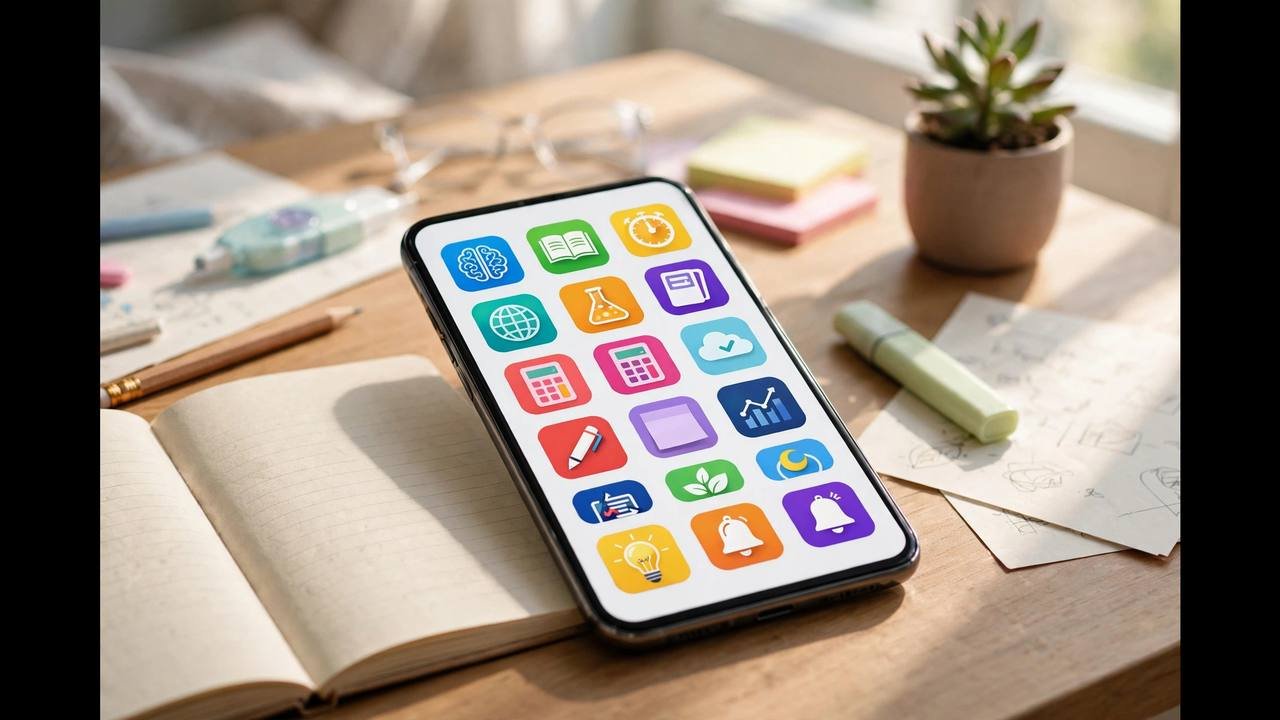
The best study apps Australia‘s students can download in 2026 are not the ones with the most features — they are the ones you will actually use every day. A brilliant app you abandon after a week is worth less than a simple one that becomes habit. This guide picks the genuinely best apps across notes, flashcards, focus, planning and reading, with honest pricing in AUD, what each does well, and who should skip it. Every recommendation here supports real study techniques — for the methods themselves, see how to study effectively online.
What We Like
- Free tiers cover the core use in every category — most students need pay for nothing
- Anki is the gold standard for spaced repetition, the most evidence-backed memorisation method in the post
- One app per job beats app-hopping: the post’s first rule for choosing
What to Consider
- App overload fragments your system — notes in three apps, tasks in two, flashcards abandoned mid-semester
- Quizlet Plus and Notion Plus are usually not worth it — free tiers cover the core use cases
- Premium features rarely change outcomes; the post’s rule is pay only when you hit a genuine free-tier limit
How to Choose Study Apps (Read This First)
Before downloading anything, apply three rules. One app per job: one notes app, one flashcard app, one task manager. App-hopping between five note-taking tools is procrastination disguised as productivity. Free first: every category below has an excellent free option — pay only when you have hit a genuine limit. Habit before features: the best app is the one with the lowest friction for your workflow. A beautiful app you never open loses to an ugly one you use daily.
Australian-specific note: check apps work offline or on poor connections if you study on regional trains or in areas with patchy coverage — not all cloud-first apps handle this gracefully.
Best Study Apps Australia for Notes: Notion and Alternatives
Notion (free for students) is the most popular all-in-one workspace: notes, databases, task lists, wikis and calendars in one flexible tool. Its strength is structure — build a dashboard per subject with lecture notes, assignment trackers and revision checklists linked together. The learning curve is real, but templates (many free from the student community) flatten it. Best for: organised students who enjoy building systems.
Alternatives: Microsoft OneNote (free, excellent handwriting support on tablets, integrates with university Office 365 accounts many Australian unis provide); Obsidian (free, markdown-based, powerful backlinking for connecting ideas — beloved by research students, steeper learning curve); Apple Notes / Google Keep (free, zero friction, surprisingly capable for quick capture — do not underestimate simple).
Skip if: you take notes primarily by hand already (paper plus a phone camera for digitising beats any app for some learners) or your courses provide comprehensive materials and you mainly need a task tracker.
Flashcards and Memorisation: Anki and Quizlet
Anki (free on desktop and Android; $24.99 one-time on iOS) is the gold standard for spaced repetition flashcards. Its algorithm schedules reviews at optimal intervals based on the forgetting curve — the single most evidence-backed memorisation method available. The interface is dated, but nothing beats it for medicine, law, languages, or any fact-heavy subject. Thousands of free shared decks exist, though making your own cards (an act of active learning itself) works better.
Quizlet (free tier; paid plans for advanced features) is friendlier and more social — games, practice tests, and class-shared sets. Less powerful as a pure spaced-repetition engine than Anki, but far more approachable. Best for: school and early-undergrad students, group study, and anyone who finds Anki intimidating.
How to use them well: one concept per card, phrase as questions, include images for visual subjects, and do reviews daily — 15 minutes of Anki beats 2 hours of re-reading. Pair with our Pomodoro guide by doing flashcard reviews inside a sprint.
Focus and Anti-Distraction Apps: Forest and the Nuclear Options
Forest (small one-time fee) gamifies focus beautifully: plant a virtual tree that grows while you stay off your phone and dies if you leave the app. Simple, charming, and surprisingly effective — the mild guilt of killing a tree outperforms willpower for many students. The team also plants real trees based on usage.
For serious distraction problems: Cold Turkey (desktop, free tier) blocks websites and apps on schedules you cannot easily override — the “nuclear option” for students who keep “just checking” social media. Screen Time / Digital Wellbeing (built into iOS/Android, free) sets app limits with a passcode held by a friend for accountability.
The free nuclear option: phone in another room. No app required, stronger evidence than any software. Use apps to supplement this, not replace it.
Planning and Task Management: Todoist and Calendars
Todoist (generous free tier) is the best pure task manager for students: natural-language input (“submit essay every Friday”), projects per subject, priorities, and recurring tasks. Clean, fast, everywhere. Microsoft To Do (free) is simpler and integrates with university Outlook accounts.
Google Calendar (free) remains essential for time-blocking — scheduling study sessions like appointments. Colour-code by subject, set phone reminders, and review weekly.
Notion or Trello work for visual planners who like kanban boards for assignment tracking (To Do → Doing → Done). Pick one system and commit — the tool matters far less than the weekly review habit.
Ready to compare?
Compare current prices & course optionsReading, Reference and Lecture Apps
Zotero (free) manages references and citations — essential for any student writing essays with academic sources. It captures sources from your browser, generates bibliographies, and syncs across devices. Learning it early in your degree pays compound interest.
Otter.ai (free tier; paid for heavy use) transcribes lectures and meetings in real time — useful for reviewing spoken content, generating searchable lecture notes, and supporting accessibility needs. Check your institution’s recording policies before transcribing live classes.
Libby / BorrowBox (free with an Australian library card) — not strictly study apps, but free ebook and audiobook access through Australian public libraries. Textbooks are sometimes available, and audiobooks make commutes productive. If you are learning a language, pair these with our language course recommendations.
For official study support resources, UNSW’s study tips and academic skills pages complement any app toolkit with proven techniques.
Best Study Apps Australia: What’s Worth Paying For
Most students should stay free — but a few paid upgrades genuinely earn their price. Here is an honest assessment.
Anki on iOS ($24.99 one-time): the only Anki purchase most students will ever need, and worth it if you study on iPhone or iPad. One payment, lifetime use, no subscription. If your degree is memorisation-heavy (medicine, law, languages), this is the highest-ROI $25 in education.
Forest (small one-time fee): worth it for the focus gamification if phone distraction is your main problem. The cost is trivial; the mechanism — a virtual tree that dies when you leave the app — works surprisingly well for building the phone-down habit.
Quizlet Plus / Chegg-type subscriptions: usually not worth it for most students. The free tiers cover the core use cases; paid features (ad removal, advanced formatting) rarely change outcomes. Spend the money on a textbook instead.
Notion Plus: unnecessary for almost all students — the free plan’s limits are generous, and education discounts cover the rest. Do not pay for note-taking until you have filled the free tier for months.
Otter.ai paid tiers: worth it only if you genuinely rely on transcription (accessibility needs, heavy lecture loads in fast-talking subjects). For occasional use, the free tier suffices.
The paying rule: pay only for an app you have used free for at least a month, where you can name the specific limitation blocking you. “I want the premium features” is not a reason; “I hit the free upload limit twice this month and it cost me study time” is.
Student discounts to check: many apps offer education pricing — Notion, Microsoft 365 (often free through your university), Adobe Creative Cloud, Spotify. Before paying full price for anything, search “[app name] student discount Australia” and check your university’s software portal. Students routinely save hundreds per year through discounts they never knew existed.
Best Study Apps Australia: Avoiding App Overload
The most common study-app failure is not choosing badly — it is choosing too many. App overload fragments your system: notes in three apps, tasks in two, flashcards abandoned because you switched platforms mid-semester.
Signs you have app overload: you spend more time organising your system than studying; you cannot remember where a specific note lives; you have downloaded 3+ apps in the same category this semester; setting up the “perfect system” has become procrastination.
The one-in-one-out rule: before downloading a new study app, delete or commit to abandoning one you currently use. This forces honest evaluation: is the new app actually better, or just novel?
The semester freeze: once your stack works, freeze it for the semester. No new apps, no system rebuilds, no template overhauls mid-term. Optimise between semesters, execute during them. The best system is the stable one.
Audit quarterly with three questions: which apps did I open daily? (Keep.) Which did I open weekly? (Keep if they serve a real function.) Which did I forget existed? (Delete immediately.) Most students discover 2–3 apps adding zero value — removing them simplifies everything.
Remember the hierarchy: technique beats system beats app. Retrieval practice with paper flashcards beats passive re-reading with a beautiful app. A simple checklist you review weekly beats a complex dashboard you ignore. Apps are the last 10% of study effectiveness, not the first 90% — invest your optimisation energy accordingly.
Study Apps for Specific Needs: Accessibility and Focus Challenges
Standard productivity advice assumes standard brains and bodies. If yours work differently, these approaches help.
ADHD and focus difficulties: body-doubling (virtual co-working sessions where others’ presence sustains your focus), timers with visible countdowns (abstract time is hard; visible time is concrete), and site-blockers during study blocks. Break tasks into absurdly small steps — “open document” is a legitimate first task. Many Australian university disability services can formally recommend focus tools as study adjustments.
Dyslexia and reading difficulties: text-to-speech is transformative — listen to readings at 1.25x while following along visually. Dyslexia-friendly fonts and increased line spacing reduce visual stress. Speech-to-text for written assessments lets ideas flow without spelling anxiety. If undiagnosed but struggling, your university’s accessibility service can arrange assessments — support you are entitled to, not a favour.
Vision and hearing: every major platform (iOS, Android, Windows, macOS) has built-in screen readers, magnification and live captioning — learn your device’s accessibility settings before buying specialist apps. For online lectures, always enable captions; for readings, use text-to-speech. Most are free and built in.
Anxiety and perfectionism: apps are not therapy, but structure helps — externalise the plan (written task lists beat mental ones), use timers to bound sessions (permission to stop), and track completions visibly (evidence against the “I’m not doing enough” narrative). University counselling services are free and confidential for enrolled students, including online ones.
Chronic illness and fatigue: track your energy across the day and schedule study in high-energy windows. The key accommodation is flexibility: asynchronous courses, recorded lectures, and generous deadline policies matter more than any app. Disclose to your university’s support service early — adjustments are far easier to arrange proactively than in crisis.
The principle: the best study system is the one built for your actual brain and body, not an imagined ideal student. Accessibility features are not cheating — they are how diverse learners do their best work. And one final rule for everyone: audit your app stack each semester. Delete anything you have not opened in a month. Every unused app is a small open loop in your mind; a lean set of tools you actually use beats an impressive collection you do not. The goal was never the apps — it is the study they enable.
And remember what the stack is for. Apps do not study; you do. The best app stack is the smallest one that removes friction between you and the work: capture tasks so your mind is clear, time your sessions so breaks actually happen, review actively so knowledge sticks. If an app adds more management overhead than it removes, delete it. Start with the free tiers, upgrade only what earns its place, and revisit the stack each semester. The students with the fanciest setups are rarely the ones with the best results — the winners are boring, consistent, and well-rested.
The Minimalist’s App Stack (What We Actually Recommend)
If you want the 80/20 setup: Google Calendar (schedule) + Todoist (tasks) + Anki (memorisation) + OneNote or Notion (notes) + Forest (focus). Total cost: nearly $0. This stack covers every study function that matters, integrates well, and — most importantly — is simple enough to sustain.
Revisit your stack once per semester, not weekly. Uninstall anything unused for a month. And remember the fundamental truth: apps support study systems; they are not study systems. Proven study techniques deliver the results — apps just reduce the friction.
Before you enrol, run the numbers.
Work out the true cost per hour → Course Cost Calculator