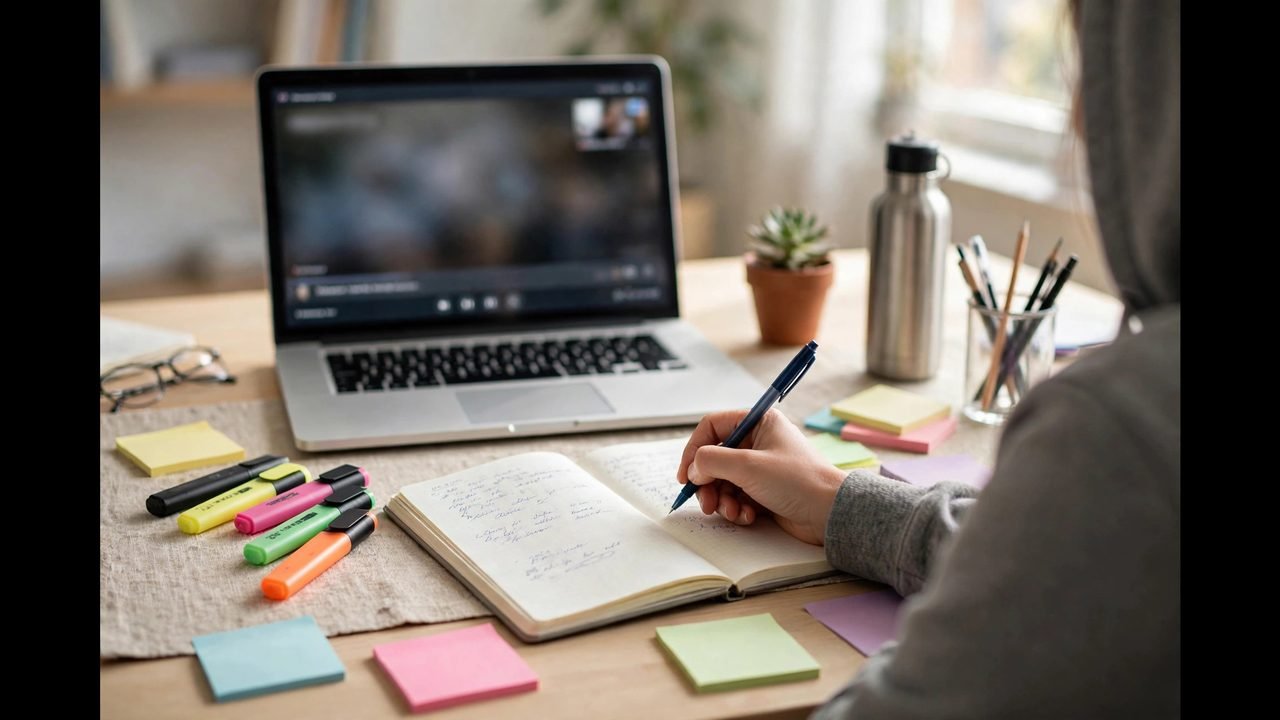
If you have searched for how to take notes online lecture tips that actually work, here is the honest starting point: taking notes from video lectures is a distinct skill from classroom note-taking. Online, you can pause, rewind and rewatch — advantages that most students squander by transcribing passively or, worse, telling themselves they will “just rewatch later” (they never do). The research is clear: notes only help if taking them forces you to process ideas, and reviewing them only helps if the review is active. This guide covers the methods that work, the handwriting-vs-typing evidence, and how to exploit the unique advantages of video lectures.
For the study system these notes feed into, see how to study effectively online and our Pomodoro Technique guide. For the apps that support great notes, see best study apps.
Handwriting vs Typing: What the Research Says
The most-cited study in this area — Mueller & Oppenheimer (2014) — found that students who took longhand notes outperformed laptop note-takers on conceptual questions. The mechanism: handwriting is slower, so you cannot transcribe verbatim — you must listen, digest and summarise, which is the learning. Laptop note-takers tended to type what they heard mindlessly, producing fuller notes and shallower understanding.
The practical takeaway is not “never type” — it is “never transcribe.” If you type notes, do it with the same constraint: capture ideas in your own words, not sentences from the lecturer’s mouth. Typed notes win for subjects with heavy factual content (anatomy diagrams aside), fast-talking lecturers, or when you need searchable archives. Handwritten notes win for conceptual subjects where understanding matters more than completeness.
The hybrid approach many top students use: handwrite during the lecture (forcing processing), then type up a clean summary within 24 hours (forcing retrieval and creating searchable revision notes). Two rounds of processing for the price of one.
The Cornell Method: Best All-Round System
Developed by Cornell University professor Walter Pauk, the Cornell method divides each page into three sections and remains the best-structured general note system:
- Notes column (right, ~70% of page): capture key ideas during the lecture in telegraphic style — phrases, not sentences.
- Cue column (left, ~30%): after the lecture, write questions and keywords that the notes answer. This transforms your notes into a self-testing tool.
- Summary (bottom): after the lecture, summarise the page’s key points in 2–3 sentences, in your own words.
The genius is in the after steps: writing cues and summaries forces the retrieval and elaboration that make notes useful. A Cornell page without cues and summary is just notes; with them, it is a revision system. For online lectures, pause at natural section breaks to fill in cues as you go.
Mind Mapping: Best for Seeing Connections
Popularised by Tony Buzan, mind mapping places the central topic in the middle of the page and radiates branches for subtopics, details and connections. It suits visual thinkers and subjects where relationships matter more than sequences — biology systems, historical causes, business frameworks.
For online lectures: start the map before pressing play with the lecture title centred, then grow branches as concepts emerge. Use colour for categories and small sketches where helpful — the visual encoding aids memory. Mind maps make poor linear references but excellent revision tools: redrawing a map from memory is a powerful retrieval exercise.
The Outline Method and Charting: For Structured Content
Outline method: traditional hierarchical notes (I. A. 1. a.) following the lecture’s structure. Best for: well-organised lecturers, sequential content (processes, timelines, arguments). The risk is mindless transcription — combat it by paraphrasing each point.
Charting method: draw a table with categories as columns (e.g. for comparing theories: Theory | Key Claims | Evidence | Criticisms) and fill rows as the lecture progresses. Best for: comparison-heavy content. The table structure forces you to categorise information actively — high processing, excellent revision format.
Exploiting Video: Strategies Unique to Online Lectures
Online lectures give you superpowers classroom students lack. Use them:
Pre-read before pressing play. Skim the slides or chapter headings for 5 minutes first. Knowing the roadmap lets you distinguish main points from asides in real time — the core skill of good note-taking.
Pause and summarise. Every 10–15 minutes, pause and write a 2-sentence summary of the section from memory before continuing. This inserts retrieval practice directly into the lecture and prevents the zoned-out autopilot that video enables.
Speed strategically. 1.25x–1.5x works for revision replays and slow speakers; use normal speed (or slower) for difficult new concepts. Speed is for efficiency, not for bragging rights — if comprehension drops, slow down.
Timestamp key moments. Note the video timestamp beside important concepts (“23:40 — worked example of Bayes’ theorem”). When revising, you can jump straight to the explanation instead of rewatching an hour.
Do a post-lecture brain dump. Immediately after (not tomorrow): close everything and write everything you remember for 10 minutes. Then compare with your notes to find gaps. The University of Melbourne’s study resources recommend exactly this kind of active post-lecture engagement — their study hacks collection has more techniques in the same spirit.
Organising Notes for Revision
Notes you cannot find are notes you do not have. After each lecture: file notes by subject and week with consistent naming (“PSYC2001-W04-memory”), transfer action items (readings, questions for the tutor) to your task manager, and flag confusing points to resolve within 48 hours — confusion compounds if left.
Weekly, spend 30 minutes reviewing the week’s notes: update Cornell cues, redraw key mind maps from memory, and condense each lecture to its 3 essential points on a single revision sheet. By exam time, you revise from the condensed sheets, not the raw notes — a fraction of the volume with most of the value.
How to Take Notes Online Lecture: Digital Tools Compared
The right tool depends on your note-taking style. Here is an honest comparison of the main options for online lecture notes.
Pen and paper. Still the research-backed champion for conceptual understanding (Mueller & Oppenheimer, 2014). Zero distractions, zero battery anxiety, and the slowness that forces summarising. Downsides: not searchable, easy to lose, diagrams stay rough. Best for: conceptual subjects, students who think while writing, anyone easily distracted by devices.
Tablet with stylus (iPad + Apple Pencil, Samsung Tab + S Pen). The best of both worlds for many students: handwriting’s cognitive benefits with digital organisation, searchability (handwriting recognition), and infinite pages. Apps like Notability, GoodNotes and OneNote sync across devices. The investment ($500–$1,000+) is significant but amortises across a degree. Best for: students committed to handwritten notes who want them organised and backed up.
Laptop typing (OneNote, Notion, Google Docs). Fastest capture, fully searchable, easy to reorganise and share. The risk is mindless transcription — mitigate by enforcing a “no verbatim sentences” rule on yourself. Best for: fast lecturers, fact-heavy subjects, students who revise by searching notes.
Lecture-capture hybrids (Otter.ai, built-in transcription). Auto-transcription of recorded lectures gives you a searchable text base to annotate rather than starting from blank. Powerful for revision — but dangerous as a primary method, because annotating a transcript feels like learning while remaining passive. Use transcripts as a safety net, not a replacement for active note-taking.
The pragmatic recommendation: if you own a tablet with stylus, use it — it is the best compromise available. If not, handwrite during the lecture and type a clean summary within 24 hours (the two-pass method). If you must type live, keep one document per lecture with a strict paraphrase-only rule.
How to Take Notes Online Lecture Recordings for Revision
Your notes’ second life is exam revision — but only if you built them for it. Here is how to turn lecture notes into a revision system.
The 24-hour rule. Within a day of each lecture: fill in Cornell cues, write the bottom summary, and flag anything confusing. This single habit roughly doubles the long-term value of your notes — it is retrieval practice disguised as organisation.
Build a weekly synthesis. Each weekend, spend 30 minutes per subject condensing the week’s lectures onto one page: the 5–7 key ideas, their relationships, and one example each. These synthesis pages become your primary revision documents — by exam time, you revise from 12 synthesis pages, not 200 pages of raw notes.
Convert notes to questions. Transform your Cornell cues and headings into a question bank: “Explain the difference between X and Y”, “What are the three causes of Z?” Self-testing from these questions is the highest-yield revision activity available — far superior to re-reading.
Use timestamps strategically. During revision, do not rewatch whole lectures. Jump to timestamped key moments (which you noted during the lecture) for the 2–3 concepts you still find shaky. A targeted 10-minute rewatch beats an unfocused hour.
Teach from your notes. The ultimate test: explain each synthesis page aloud as if teaching a friend. Where you stumble, your notes (and understanding) have gaps — fill them now, not in the exam. This Feynman-style review converts good notes into genuine mastery.
Archive ruthlessly at semester’s end. Keep synthesis pages and question banks; archive or discard raw notes. Future-you will thank present-you for the curation — a clean, condensed archive is a resource; a mountain of raw notes is a burden.
How to Take Notes Online Lecture: Adapting to Different Subjects
Note-taking is not one-size-fits-all — the subject shapes the method.
Concept-heavy subjects (psychology, business, law): focus on frameworks and relationships — concept maps, comparison tables, and “how does this connect to…” margin notes. Definitions matter less than understanding how ideas interact. Your notes should let you reconstruct the lecturer’s argument, not just list their terms.
Problem-solving subjects (maths, statistics, programming): notes are worked examples, not prose. Write each example step-by-step with the reasoning annotated (“we divide here because…”), not just the algebra. Maintain a separate “mistake log” of errors you made in practice — reviewing it before assessments is brutally effective.
Content-heavy subjects (anatomy, history, languages): volume is the enemy, so notes must be retrieval tools: flashcards for terms and dates, timelines for sequences, labelled diagrams you redraw from memory. If your notes are just a second textbook, they have failed — they should be the compressed, testable core.
Discussion-based subjects (literature, philosophy, education): capture questions and tensions, not conclusions — “the lecturer argued X, but what about Y?” Note your own reactions; essays reward original engagement with the material, and your in-the-moment questions are the seeds of arguments.
The universal rule: match the notes to the assessment. Problem-based exam → worked examples. Essay → arguments and evidence. Multiple choice → precise definitions and distinctions. Ask past students or check the unit guide: the assessment format tells you exactly what your notes are for. Then apply the 24-hour rule: within a day of each lecture, spend 10 minutes reviewing and condensing your notes — adding the connections you noticed, flagging what confused you, converting key points into questions. This single habit does more for retention than any note-taking system, because it forces a second encounter with the material while it is still fresh enough to reorganise.
What Not to Do
Do not transcribe slides. If slides are provided, they already exist — your notes should capture what the lecturer said about the slides: explanations, examples, emphases. Do not take notes on everything equally. Listen for signalling phrases (“the key point is…”, “this will be on the exam”, “most students misunderstand…”) and weight your attention accordingly. Do not skip the review. Notes reviewed never are notes wasted — the 24-hour summary is where half the value lives. Do not aim for pretty. Notes are a thinking tool, not an art project. Colour-coding systems you abandon by week 3 help no one.
Master one method (Cornell is the safest default), exploit the pause button ruthlessly, and always finish with the brain dump. Do that consistently, and your notes will stop being a transcript of lectures you half-remember — and start being the engine of grades you earn.